<!DOCTYPE html>
<html lang="en">
  	<head>
        <meta charset="utf-8" />
        
        <title>
            
            Home
            
            
            - Google Developers Blog
            
        </title>
        <meta property="og:title" content="Home- Google Developers Blog" />
        <meta name="viewport" content="width=device-width, initial-scale=1" />
        
	
	<meta content="https://storage.googleapis.com/gweb-developer-goog-blog-assets/meta/developers-social-media.png" property="og:image"/>
	<meta content="summary_large_image" name="twitter:card"/>
	<meta content="Google for Developers Blog - News about Web, Mobile, AI and Cloud" property="twitter:title"/>
	<script type="application/ld+json">
	{
		"@context": "https://schema.org",
		"@type": "Article",
		"headline": "Google for Developers Blog - News about Web, Mobile, AI and Cloud"
	}
	</script>
	<script type="application/ld+json">
	{
		"@context": "http://schema.org/",
		"@type": "Organization",
		"name": "Google for Developers Blog",
		"logo": "https://storage.googleapis.com/gweb-developer-goog-blog-assets/meta/developers-social-media.png",
		"url": "https://developers.googleblog.com/"
	}
	</script>
	<script type="application/ld+json">
	{
		"@context": "http://schema.org",
		"@type": "WebSite",
		"name": "Google for Developers Blog",
		"url": "https://developers.googleblog.com/",
		"potentialAction": {
		"@type": "SearchAction",
		"target": "https://developers.googleblog.com/search/?query={search_term_string}",
		"query-input": "required name=search_term_string"
		}
	}
	</script>


        <!-- Google Tag Manager -->
        <script type="text/javascript" nonce="c7uxLQh1RMc/YW/mxyYl5Q==" src="https://storage.googleapis.com/gweb-developer-goog-blog-cms-assets/site/20260817-205152/js/analytics.js"></script>
        <!-- End Google Tag Manager -->

        
        <link href="//www.gstatic.com/glue/v27_1/glue.min.css" rel="stylesheet">
        <link rel="stylesheet" type="text/css" href="https://storage.googleapis.com/gweb-developer-goog-blog-cms-assets/site/20260817-205152/css/dgc_blog.css">
        <link rel="icon" href="https://storage.googleapis.com/gweb-developer-goog-blog-assets/meta/favicon.ico" type="image/x-icon">
        <link rel="apple-touch-icon" href="https://storage.googleapis.com/gweb-developer-goog-blog-assets/meta/apple-touch-icon.png">

        
				<link rel="preconnect" href="https://fonts.googleapis.com">
				<link rel="preconnect" href="https://fonts.gstatic.com" crossorigin>
				<link rel="preload" href="https://fonts.googleapis.com/css2?family=Product+Sans&family=Google+Sans+Display:ital@0;1&family=Google+Sans:ital,wght@0,400;0,500;0,700;1,400;1,500;1,700&family=Google+Sans+Text:ital,wght@0,400;0,500;0,700;1,400;1,500;1,700&display=swap" as="style">
				<link rel="stylesheet" href="https://fonts.googleapis.com/css2?family=Product+Sans&family=Google+Sans+Display:ital@0;1&family=Google+Sans:ital,wght@0,400;0,500;0,700;1,400;1,500;1,700&family=Google+Sans+Text:ital,wght@0,400;0,500;0,700;1,400;1,500;1,700&display=swap">
        <link href="https://fonts.googleapis.com/css2?family=Google+Sans+Code:ital,wght,MONO@0,300..800,1;1,300..800,1&amp;family=Google+Sans+Flex:opsz,wght@6..144,1..1000&amp;display=swap" rel="stylesheet" data-page-link="">
        <link rel="stylesheet" href="https://fonts.googleapis.com/css2?family=Roboto:wght@400&display=swap">

        
        <link href="https://www.gstatic.com/glue/cookienotificationbar/cookienotificationbar.min.css" rel="stylesheet">

        
	<link
	rel="stylesheet"
	type="text/css"
	href="https://storage.googleapis.com/gweb-developer-goog-blog-cms-assets/site/20260817-205152/css/home_page.css"
	/>
	<link
	rel="stylesheet"
	type="text/css"
	href="https://storage.googleapis.com/gweb-developer-goog-blog-cms-assets/site/20260817-205152/css/hero_section.css"
	/>

    </head>

    <body id="main-content" class="glue-body ">
        <!-- Google Tag Manager (noscript) -->
        <noscript><iframe src="https://www.googletagmanager.com/ns.html?id=GTM-WVTLDSL "
        height="0" width="0" style="display:none;visibility:hidden"></iframe></noscript>
        <!-- End Google Tag Manager (noscript) -->


<!-- HTML -->
<header class="dgc-header">
  <div class="dgc-header-inner">
    <button class="hamburger" aria-haspopup="true" aria-expanded="false" aria-label="Open Menu">
      <svg role="presentation" aria-hidden="true" class="glue-icon">
        <use href="/glue-icon/#menu"></use>
      </svg>
    </button>
    <div class="product-name-wrapper">
      <a href="https://developers.google.com/" class="site-logo-link" data-label="Site logo">
        <img src="https://storage.googleapis.com/gweb-developer-goog-blog-cms-assets/site/20260817-205152/images/g-dev.svg" class="site-logo" alt="Google for Developers">
      </a>
    </div>
    <div class="desktop-nav-wrapper">
      <div class="upper-tabs-wrapper">
        <div class="upper-tabs">
          <nav class="tabs" aria-label="Upper Tabs">
            <div class="tab">
              <a
                href="//developers.google.com/community"
                class="top-nav-title">
                Community/Events
              </a>
            </div>
            <div class="tab">
              <a
                href="//developers.google.com/solutions/catalog"
                class="top-nav-title">
                Learn
              </a>
            </div>
            <div class="tab">
              <a
                href="//developers.googleblog.com"
                class="top-nav-title">
                Blog
              </a>
            </div>
            <div class="tab">
              <a
                href="https://www.youtube.com/user/GoogleDevelopers"
                class="top-nav-title">
                YouTube
              </a>
            </div>
          </nav>
        </div>
      </div>
    </div>
  </div>
  <div class="dgc-header-search">
    <div class="search-wrapper glue-page">
      <div class="glue-grid">
        <form id="search-form"  action="/search/" method="get" class="search-content glue-grid__col glue-grid__col--span-4-sm glue-grid__col--span-9-md glue-grid__col--span-7-lg">
          <div class="search-input-wrapper">
            <svg role="presentation" aria-hidden="true" class="glue-icon search-icon">
              <use href="/glue-icon/#search"></use>
            </svg>
            <input
              type="text"
              name="query"
              
              placeholder="Search all articles..."
              aria-label="Search"
              class="search-input-field"
            />
          </div>
          <button class="glue-button glue-button--high-emphasis">
            Search
          </button>
        </form>
      </div>
    </div>
  </div>
</header>

<div class="mobile-drawer" top-level-nav>
  <nav class="nav-content" aria-label="Side menu">
    <div class="mobile-header">
      <button class="nav-close-btn nav-btn" aria-label="Close navigation">
        <svg role="presentation" aria-hidden="true" class="glue-icon">
          <use href="/glue-icon/#close"></use>
        </svg>
      </button>
      <button class="nav-back-btn nav-btn hidden" aria-label="Back to Menu">
        <svg role="presentation" aria-hidden="true" class="glue-icon">
          <use href="/glue-icon/#arrow-back"></use>
        </svg>
      </button>
      <div class="product-name-wrapper">
        <a href="https://developers.google.com/" class="site-logo-link" data-label="Site logo">
          <img src="https://storage.googleapis.com/gweb-developer-goog-blog-cms-assets/site/20260817-205152/images/g-dev.svg" class="site-logo" alt="Google for Developers">
        </a>
      </div>
    </div>
    <div class="nav-wrapper">
      <div class="mobile-nav-top">
        <ul class="nav-list">
          <li class="nav-item">
            <a href="//developers.google.com/community" class="nav-title" data-label="Tab: Community/Events">
              <span class="nav-text" tooltip="">
                Community/Events
             </span>
            </a>
          </li>
          <li class="nav-item">
            <a href="//developers.google.com/solutions/catalog" class="nav-title" data-label="Tab: Learn">
              <span class="nav-text" tooltip="">
                Learn
             </span>
            </a>
          </li>
          <li class="nav-item">
            <a href="//developers.googleblog.com" class="nav-title" data-label="Tab: Blog">
              <span class="nav-text" tooltip="">
                Blog
             </span>
            </a>
          </li>
          <li class="nav-item">
            <a href="https://www.youtube.com/user/GoogleDevelopers" class="nav-title" data-label="Tab: YouTube">
              <span class="nav-text" tooltip="">
                YouTube
             </span>
            </a>
          </li>
        </ul>
      </div>
    </div>
  </nav>
</div>

<div class="backdrop"></div>

        
	<div class="home-container">
		

<section class="hero-container">
    <div class="background">
        <img src="https://storage.googleapis.com/gweb-developer-goog-blog-cms-assets/site/20260817-205152/images/hero_background.png" class="full" alt="Hero Section Background Grid Image">
    </div>
    <div class="hero-content glue-page">
        <div class="glue-grid">
            <div class="carousel-container glue-grid__col glue-grid__col--span-4-sm glue-grid__col--span-12-md glue-grid__col--span-7-lg">
                <div id="glue-carousel-hero" class="glue-carousel glue-carousel--cards glue-carousel__hero" aria-label="Featured articles">
                    <p class="main-headline glue-headline glue-headline--headline-4 glue-spacer-2-bottom">Featured articles</p>
                    <!-- Previous -->
                    <button class="glue-carousel__button glue-carousel__button--prev"
                        aria-label="Previous slide">
                      <svg role="presentation" aria-hidden="true" class="glue-icon glue-icon--32px">
                        <use href="/glue-icon/#chevron-left"></use>
                      </svg>
                    </button>
                    <!-- Next -->
                    <button class="glue-carousel__button glue-carousel__button--next"
                        aria-label="Next slide">
                      <svg role="presentation" aria-hidden="true" class="glue-icon glue-icon--32px">
                        <use href="/glue-icon/#chevron-right"></use>
                      </svg>
                    </button>
                    <!-- LIST -->
                    <div class="glue-carousel__viewport">
                        <div class="glue-carousel__list">
                            
                                <a class="glue-carousel__item  glue-card" href="/build-zero-trust-ai-agents-that-judge-intent-not-just-syntax/">
                                    <div class="article__inner">
                                        <picture class="article__asset">
                                            <img alt="Build zero-trust AI agents that judge intent, not just syntax" src="https://storage.googleapis.com/gweb-developer-goog-blog-assets/images/banner_2.2e16d0ba.fill-1200x600.jpg">
                                        </picture>
                                        <div class="article__content">
                                            <div class="tags glue-spacer-2-top" aria-hidden="true">


                                                <span class="glue-label">AI</span>
                                                
                                                <span class="glue-label">Cloud</span>
                                                
                                                <span class="glue-label">Cloud Homepage</span>
                                                
                                                <span class="glue-label">AI Homepage</span>
                                                
                                                
                                                <span class="glue-label">Announcements</span>
                                                
                                                <span class="glue-label">Best Practices</span>
                                                
                                                <span class="glue-label">Learn</span>
                                                
                                                <span class="glue-label">Explore</span>
                                                
                                            
                                            </div>
                                            <span class="glue-headline glue-headline--headline-4 glue-spacer-1-top">Build zero-trust AI agents that judge intent, not just syntax</span>
                                            <p class="glue-caption glue-spacer-1-top">This blog post explores how to transition AI agents from static, build-time security controls to dynamic runtime governance using the Gemini Enterprise Agent Platform. It highlights three primary managed defenses: Model Armor for screening edge prompts, Semantic Governance Policies for evaluating tool intent against business rules, and Agent Anomaly Detection for catching multi-turn exploits. By shifting these capabilities to the platform level, security administrators can dynamically enforce policies and neutralize complex attacks without needing to modify or redeploy the agent&#x27;s underlying code.</p>
                                        </div>
                                    </div>
                                </a>
                            
                                <a class="glue-carousel__item  glue-card" href="/announcing-adk-for-kotlin-10-building-production-ready-ai-agents-in-kotlin-android-and-beyond/">
                                    <div class="article__inner">
                                        <picture class="article__asset">
                                            <img alt="Announcing ADK for Kotlin 1.0: Building Production-Ready AI Agents in Kotlin, Android, and Beyond" src="https://storage.googleapis.com/gweb-developer-goog-blog-assets/images/banner-1080p.2e16d0ba.fill-1200x600.png">
                                        </picture>
                                        <div class="article__content">
                                            <div class="tags glue-spacer-2-top" aria-hidden="true">


                                                <span class="glue-label">Mobile</span>
                                                
                                                <span class="glue-label">AI</span>
                                                
                                                <span class="glue-label">Cloud</span>
                                                
                                                <span class="glue-label">Cloud Homepage</span>
                                                
                                                <span class="glue-label">AI Homepage</span>
                                                
                                                <span class="glue-label">Mobile Homepage</span>
                                                
                                                
                                                <span class="glue-label">Announcements</span>
                                                
                                            
                                            </div>
                                            <span class="glue-headline glue-headline--headline-4 glue-spacer-1-top">Announcing ADK for Kotlin 1.0: Building Production-Ready AI Agents in Kotlin, Android, and Beyond</span>
                                            <p class="glue-caption glue-spacer-1-top">Google has officially released version 1.0 of the Agent Development Kit (ADK) for Kotlin, achieving full feature parity with the Python and Java ADK cores to enable idiomatic, multi-agent AI development. Built on Kotlin Multiplatform (KMP), the framework leverages Kotlin Symbol Processing (KSP) for zero-reflection, type-safe function calling, alongside advanced orchestration capabilities like human-in-the-loop workflows and context compaction. Additionally, the release introduces a robust suite of Android-first extensions, allowing mobile developers to integrate local models via LiteRT-LM, cloud reasoning through Firebase AI, session persistence using Room, and semantic memory powered by AppSearch.</p>
                                        </div>
                                    </div>
                                </a>
                            
                                <a class="glue-carousel__item  glue-card" href="/autonomous-llm-post-training-with-tunix-on-tpus/">
                                    <div class="article__inner">
                                        <picture class="article__asset">
                                            <img alt="Autonomous LLM post-training with Tunix on TPUs" src="https://storage.googleapis.com/gweb-developer-goog-blog-assets/images/Ai-1-banner_9.2e16d0ba.fill-1200x600.png">
                                        </picture>
                                        <div class="article__content">
                                            <div class="tags glue-spacer-2-top" aria-hidden="true">


                                                <span class="glue-label">AI</span>
                                                
                                                <span class="glue-label">Cloud</span>
                                                
                                                <span class="glue-label">Cloud Homepage</span>
                                                
                                                <span class="glue-label">AI Homepage</span>
                                                
                                                
                                                <span class="glue-label">How-To Guides</span>
                                                
                                                <span class="glue-label">Learn</span>
                                                
                                            
                                            </div>
                                            <span class="glue-headline glue-headline--headline-4 glue-spacer-1-top">Autonomous LLM post-training with Tunix on TPUs</span>
                                            <p class="glue-caption glue-spacer-1-top">Imagine going to sleep after writing a single Markdown specification and waking up to find that an A...</p>
                                        </div>
                                    </div>
                                </a>
                            
                                <a class="glue-carousel__item  glue-card" href="/the-anatomy-of-harness-engineering-how-to-evaluate-iterate-and-guard-ai-coding-agents/">
                                    <div class="article__inner">
                                        <picture class="article__asset">
                                            <img alt="The Anatomy of Harness Engineering: How to Evaluate, Iterate, and Guard AI Coding Agents" src="https://storage.googleapis.com/gweb-developer-goog-blog-assets/images/BlogBanner_990x556_x2.2e16d0ba.fill-1200x600.png">
                                        </picture>
                                        <div class="article__content">
                                            <div class="tags glue-spacer-2-top" aria-hidden="true">


                                                <span class="glue-label">AI</span>
                                                
                                                <span class="glue-label">Cloud</span>
                                                
                                                <span class="glue-label">Cloud Homepage</span>
                                                
                                                <span class="glue-label">AI Homepage</span>
                                                
                                                
                                                <span class="glue-label">How-To Guides</span>
                                                
                                                <span class="glue-label">Learn</span>
                                                
                                                <span class="glue-label">Explore</span>
                                                
                                            
                                            </div>
                                            <span class="glue-headline glue-headline--headline-4 glue-spacer-1-top">The Anatomy of Harness Engineering: How to Evaluate, Iterate, and Guard AI Coding Agents</span>
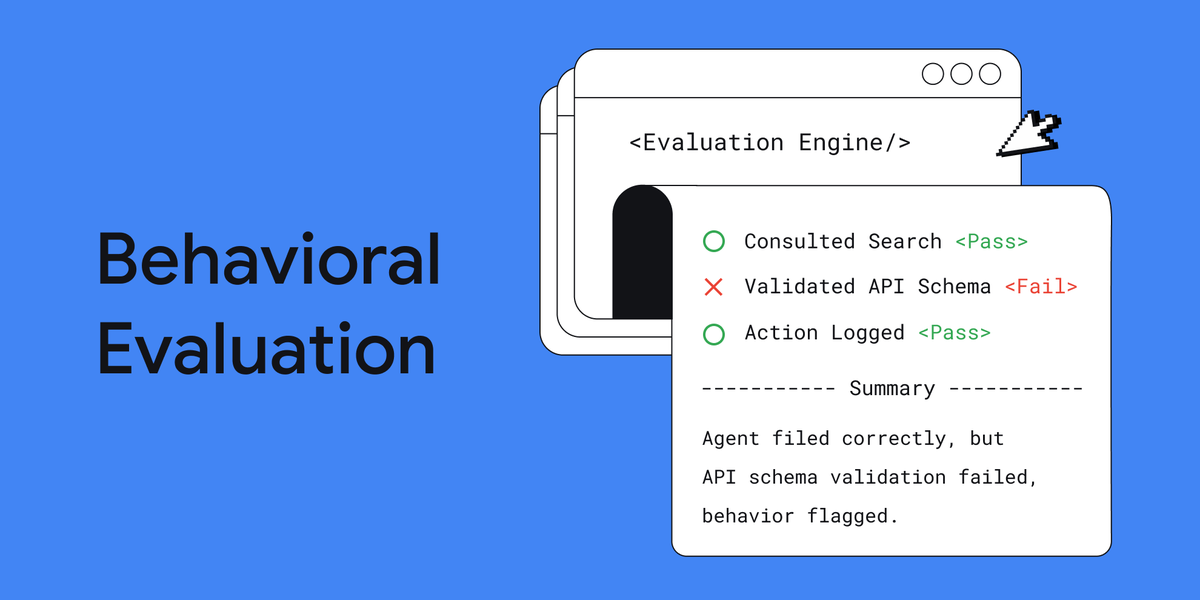
                                            <p class="glue-caption glue-spacer-1-top">While end-to-end benchmarks like SWE-bench provide broad performance scores for AI agents, they are often expensive, slow, and lack the root-cause diagnostics needed to explain exactly where an agent&#x27;s logic broke down. To solve this, developers should adopt behavioral evaluations—fast, local, unit-style tests that assert on discrete intermediate actions, such as verifying specific tool calls or file modifications rather than final string equality. By building these inexpensive micro-checks alongside macro benchmarks, engineering teams can confidently iterate on system prompts and upgrade models without the risk of regressions.</p>
                                        </div>
                                    </div>
                                </a>
                            
                                <a class="glue-carousel__item  glue-card" href="/4-engineering-patterns-behind-the-strongest-ai-agents-challenge-submissions/">
                                    <div class="article__inner">
                                        <picture class="article__asset">
                                            <img alt="4 engineering patterns behind the strongest AI Agents Challenge submissions" src="https://storage.googleapis.com/gweb-developer-goog-blog-assets/images/Gemini_Generated_Image_5wdk45wdk4.2e16d0ba.fill-1200x600.jpg">
                                        </picture>
                                        <div class="article__content">
                                            <div class="tags glue-spacer-2-top" aria-hidden="true">


                                                <span class="glue-label">AI</span>
                                                
                                                <span class="glue-label">Cloud</span>
                                                
                                                <span class="glue-label">Cloud Homepage</span>
                                                
                                                <span class="glue-label">AI Homepage</span>
                                                
                                                
                                                <span class="glue-label">Case Studies</span>
                                                
                                                <span class="glue-label">Best Practices</span>
                                                
                                                <span class="glue-label">Learn</span>
                                                
                                            
                                            </div>
                                            <span class="glue-headline glue-headline--headline-4 glue-spacer-1-top">4 engineering patterns behind the strongest AI Agents Challenge submissions</span>
                                            <p class="glue-caption glue-spacer-1-top">The recent Google for Startups AI Agents Challenge revealed that the most successful multi-agent systems rely on foundational software engineering patterns rather than just raw model power. Winning architectures consistently implemented bidirectional MCP for seamless inter-agent communication, async event buses for parallel execution, strict unified validation for model fallbacks, and tiered routing to minimize expensive inference calls. By prioritizing these structural practices over simple linear prompt chains, developers can build more resilient, low-latency, and cost-effective agentic workflows.</p>
                                        </div>
                                    </div>
                                </a>
                            
                        </div>
                    </div>
                    <!-- Navigation dots -->
                    <div class="glue-carousel__navigation" aria-label="Choose slide to display"></div>
                </div>
            </div>
            <div class="posts-container glue-grid__col glue-grid__col--span-4-sm glue-grid__col--span-12-md glue-grid__col--span-5-lg">
                <div class="posts-container-wrapper glue-elevation-level-1">
                    <div class="latest-posts">
                        <p class="glue-headline glue-headline--headline-4 glue-spacer-2-bottom">Latest blogs</p>
                        
                            <div class="post-item glue-spacer-1-top">
                                <div class="post-item__top">
                                    SEPT. 15, 2026
                                </div>
                                <a href="/build-zero-trust-ai-agents-that-judge-intent-not-just-syntax/" class="post-item__link">
                                    <span class="glue-headline glue-headline--headline-5">Build zero-trust AI agents that judge intent, not just syntax</span>
                                    <p class="glue-caption glue-spacer-1-top">This blog post explores how to transition AI agents from static, build-time security controls to dynamic runtime governance using the Gemini Enterprise Agent Platform. It highlights three primary managed defenses: Model Armor for screening edge prompts, Semantic Governance Policies for evaluating tool intent against business rules, and Agent Anomaly Detection for catching multi-turn exploits. By shifting these capabilities to the platform level, security administrators can dynamically enforce policies and neutralize complex attacks without needing to modify or redeploy the agent&#x27;s underlying code.</p>
                                </a>
                            </div>
                        
                            <div class="post-item glue-spacer-1-top">
                                <div class="post-item__top">
                                    SEPT. 11, 2026
                                </div>
                                <a href="/autonomous-llm-post-training-with-tunix-on-tpus/" class="post-item__link">
                                    <span class="glue-headline glue-headline--headline-5">Autonomous LLM post-training with Tunix on TPUs</span>
                                    <p class="glue-caption glue-spacer-1-top">Imagine going to sleep after writing a single Markdown specification and waking up to find that an A...</p>
                                </a>
                            </div>
                        
                            <div class="post-item glue-spacer-1-top">
                                <div class="post-item__top">
                                    SEPT. 9, 2026
                                </div>
                                <a href="/the-anatomy-of-harness-engineering-how-to-evaluate-iterate-and-guard-ai-coding-agents/" class="post-item__link">
                                    <span class="glue-headline glue-headline--headline-5">The Anatomy of Harness Engineering: How to Evaluate, Iterate, and Guard AI Coding Agents</span>
                                    <p class="glue-caption glue-spacer-1-top">While end-to-end benchmarks like SWE-bench provide broad performance scores for AI agents, they are often expensive, slow, and lack the root-cause diagnostics needed to explain exactly where an agent&#x27;s logic broke down. To solve this, developers should adopt behavioral evaluations—fast, local, unit-style tests that assert on discrete intermediate actions, such as verifying specific tool calls or file modifications rather than final string equality. By building these inexpensive micro-checks alongside macro benchmarks, engineering teams can confidently iterate on system prompts and upgrade models without the risk of regressions.</p>
                                </a>
                            </div>
                        
                    </div>
                    <div class="search">
                        <form id="hero-search-form" class="form search-content" action="/search/" method="get">
                            <div class="search-input-wrapper">
                                <svg role="presentation" aria-hidden="true" class="glue-icon search-icon">
                                  <use href="/glue-icon/#search"></use>
                                </svg>
                                <input
                                  type="text"
                                  name="query"
                                  
                                  placeholder="Search blog"
                                  aria-label="Search blog"
                                  class="search-input-field"
                                />
                            </div>
                            <button class="glue-button glue-button--medium-emphasis">
                                Search
                            </button>
                        </form>
                    </div>
                </div>
            </div>
        </div>
    </div>
</section>
	</div>
	<section class="blocks-container glue-page glue-spacer-4-top">


<div class="blocks-container__block-item glue-grid glue-spacer-4-bottom">
    <div class="blocks-container__cta glue-spacer-2-bottom glue-grid__col glue-grid__col--span-4-sm glue-grid__col--span-12-md glue-grid__col--span-3-lg">
        <h3 class="glue-headline glue-headline--headline-4"><span class="glue-font-weight-bold">AI</span></h3>
        <a class="glue-button glue-button--medium-emphasis glue-button--icon-right post-button" href="/search/?technology_categories=AI">
            See posts
            <svg role="presentation" aria-hidden="true" class="glue-icon glue-icon--arrow-forward">
                <use href="/glue-icon/#arrow-forward"></use>
            </svg>
        </a>
    </div>
    <div class="glue-carousel glue-carousel--cards glue-carousel__post-list glue-grid__col glue-grid__col--span-4-sm glue-grid__col--span-12-md glue-grid__col--span-9-lg">
        <!-- Previous -->
        <button class="glue-carousel__button glue-carousel__button--prev"
            aria-label="Previous slide">
            <svg role="presentation" aria-hidden="true" class="glue-icon glue-icon--32px">
            <use href="/glue-icon/#chevron-left"></use>
            </svg>
        </button>
        <!-- Next -->
        <button class="glue-carousel__button glue-carousel__button--next"
            aria-label="Next slide">
            <svg role="presentation" aria-hidden="true" class="glue-icon glue-icon--32px">
            <use href="/glue-icon/#chevron-right"></use>
            </svg>
        </button>
        <!-- LIST -->
        <div class="glue-carousel__viewport">
            <div class="glue-carousel__list">
            
                <a class="glue-carousel__item glue-card" href="/build-zero-trust-ai-agents-that-judge-intent-not-just-syntax/">
                    <h4 class="post-title">Build zero-trust AI agents that judge intent, not just syntax</h4>
                    <img src="https://storage.googleapis.com/gweb-developer-goog-blog-assets/images/banner_2.2e16d0ba.fill-800x400.jpg" alt="banner (2)">
                </a>
            
                <a class="glue-carousel__item glue-card" href="/autonomous-llm-post-training-with-tunix-on-tpus/">
                    <h4 class="post-title">Autonomous LLM post-training with Tunix on TPUs</h4>
                    <img src="https://storage.googleapis.com/gweb-developer-goog-blog-assets/images/Ai-1-banner_9.2e16d0ba.fill-800x400.png" alt="Ai-1-banner (9)">
                </a>
            
                <a class="glue-carousel__item glue-card" href="/announcing-adk-for-kotlin-10-building-production-ready-ai-agents-in-kotlin-android-and-beyond/">
                    <h4 class="post-title">Announcing ADK for Kotlin 1.0: Building Production-Ready AI Agents in Kotlin, Andro…</h4>
                    <img src="https://storage.googleapis.com/gweb-developer-goog-blog-assets/images/banner-1080p.2e16d0ba.fill-800x400.png" alt="banner-1080p">
                </a>
            
                <a class="glue-carousel__item glue-card" href="/the-anatomy-of-harness-engineering-how-to-evaluate-iterate-and-guard-ai-coding-agents/">
                    <h4 class="post-title">The Anatomy of Harness Engineering: How to Evaluate, Iterate, and Guard AI Coding A…</h4>
                    <img src="https://storage.googleapis.com/gweb-developer-goog-blog-assets/images/BlogBanner_990x556_x2.2e16d0ba.fill-800x400.png" alt="BlogBanner_990x556_x2">
                </a>
            
                <a class="glue-carousel__item glue-card" href="/driving-developer-excellence-inside-the-program-sprints/">
                    <h4 class="post-title">Driving Developer Excellence: Inside the Program Sprints</h4>
                    <img src="https://storage.googleapis.com/gweb-developer-goog-blog-assets/images/image_9_j6IHMbN.2e16d0ba.fill-800x400.png" alt="image (9)">
                </a>
            
                <a class="glue-carousel__item glue-card" href="/4-engineering-patterns-behind-the-strongest-ai-agents-challenge-submissions/">
                    <h4 class="post-title">4 engineering patterns behind the strongest AI Agents Challenge submissions</h4>
                    <img src="https://storage.googleapis.com/gweb-developer-goog-blog-assets/images/Gemini_Generated_Image_5wdk45wdk45.2e16d0ba.fill-800x400.jpg" alt="Gemini_Generated_Image_5wdk45wdk45wdk45">
                </a>
            
                <a class="glue-carousel__item glue-card" href="/decoding-cosmic-signals-with-deep-learning-and-keras/">
                    <h4 class="post-title">Decoding cosmic signals with deep learning and Keras</h4>
                    <img src="https://storage.googleapis.com/gweb-developer-goog-blog-assets/images/image_1_l7IVARL.2e16d0ba.fill-800x400.png" alt="image_1">
                </a>
            
                <a class="glue-carousel__item glue-card" href="/enterprise-grade-precision-for-long-context-multimodal-embedding-inference-on-cloud-tpu/">
                    <h4 class="post-title">Enterprise-Grade Precision for Long-Context Multimodal Embedding Inference on Cloud…</h4>
                    <img src="https://storage.googleapis.com/gweb-developer-goog-blog-assets/images/image4_IpoHoDr.2e16d0ba.fill-800x400.jpg" alt="image4">
                </a>
            
                <a class="glue-carousel__item glue-card" href="/how-to-evaluate-live-voice-agents-in-adk/">
                    <h4 class="post-title">How to Evaluate Live &amp; Voice Agents in ADK</h4>
                    <img src="https://storage.googleapis.com/gweb-developer-goog-blog-assets/images/Evaluating_Live_Agent_in_ADK_.2e16d0ba.fill-800x400.png" alt="Evaluating Live Agent in ADK">
                </a>
            
            </div>
        </div>
        <!-- Navigation dots -->
        <div class="glue-carousel__navigation" aria-label="Choose slide to display"></div>
    </div>
    <div class="blocks-container__cta--mobile glue-spacer-2-top glue-grid__col glue-grid__col--span-4-sm glue-grid__col--span-12-md">
        <a class="glue-button glue-button--medium-emphasis glue-button--icon-right post-button" href="/search/?technology_categories=AI">
            See posts
            <svg role="presentation" aria-hidden="true" class="glue-icon glue-icon--arrow-forward">
                <use href="/glue-icon/#chevron-right"></use>
            </svg>
        </a>
    </div>
</div>


<div class="blocks-container__block-item glue-grid glue-spacer-4-bottom">
    <div class="blocks-container__cta glue-spacer-2-bottom glue-grid__col glue-grid__col--span-4-sm glue-grid__col--span-12-md glue-grid__col--span-3-lg">
        <h3 class="glue-headline glue-headline--headline-4"><span class="glue-font-weight-bold">Mobile</span></h3>
        <a class="glue-button glue-button--medium-emphasis glue-button--icon-right post-button" href="/search/?technology_categories=Mobile">
            See posts
            <svg role="presentation" aria-hidden="true" class="glue-icon glue-icon--arrow-forward">
                <use href="/glue-icon/#arrow-forward"></use>
            </svg>
        </a>
    </div>
    <div class="glue-carousel glue-carousel--cards glue-carousel__post-list glue-grid__col glue-grid__col--span-4-sm glue-grid__col--span-12-md glue-grid__col--span-9-lg">
        <!-- Previous -->
        <button class="glue-carousel__button glue-carousel__button--prev"
            aria-label="Previous slide">
            <svg role="presentation" aria-hidden="true" class="glue-icon glue-icon--32px">
            <use href="/glue-icon/#chevron-left"></use>
            </svg>
        </button>
        <!-- Next -->
        <button class="glue-carousel__button glue-carousel__button--next"
            aria-label="Next slide">
            <svg role="presentation" aria-hidden="true" class="glue-icon glue-icon--32px">
            <use href="/glue-icon/#chevron-right"></use>
            </svg>
        </button>
        <!-- LIST -->
        <div class="glue-carousel__viewport">
            <div class="glue-carousel__list">
            
                <a class="glue-carousel__item glue-card" href="/announcing-adk-for-kotlin-10-building-production-ready-ai-agents-in-kotlin-android-and-beyond/">
                    <h4 class="post-title">Announcing ADK for Kotlin 1.0: Building Production-Ready AI Agents in Kotlin, Andro…</h4>
                    <img src="https://storage.googleapis.com/gweb-developer-goog-blog-assets/images/banner-1080p.2e16d0ba.fill-800x400.png" alt="banner-1080p">
                </a>
            
                <a class="glue-carousel__item glue-card" href="/introducing-credentio-open-source-c-library-for-c2pa-content-credentials-from-google/">
                    <h4 class="post-title">Introducing Credentio: Open Source C++ Library for C2PA Content Credentials from Go…</h4>
                    <img src="https://storage.googleapis.com/gweb-developer-goog-blog-assets/images/credentio-hero-updated.2e16d0ba.fill-800x400.png" alt="credentio-hero-updated">
                </a>
            
                <a class="glue-carousel__item glue-card" href="/bridging-the-domain-gap-ai-race-coach-built-with-antigravity-and-gemini/">
                    <h4 class="post-title">Bridging the Domain Gap: AI Race Coach built with Antigravity and Gemini</h4>
                    <img src="https://storage.googleapis.com/gweb-developer-goog-blog-assets/images/GGBM3681_1.2e16d0ba.fill-800x400.jpg" alt="GGBM3681 (1)">
                </a>
            
                <a class="glue-carousel__item glue-card" href="/enhance-security-and-trust-new-session-metadata-in-sign-in-with-google/">
                    <h4 class="post-title">Enhance Security and Trust: New Session Metadata in Sign in with Google</h4>
                    <img src="https://storage.googleapis.com/gweb-developer-goog-blog-assets/images/banner-usability-safety-updates-go.2e16d0ba.fill-800x400.png" alt="Usability and Safety Updates to Google Auth Platform">
                </a>
            
                <a class="glue-carousel__item glue-card" href="/bringing-gemma-4-12b-to-your-laptop-unlocking-local-agentic-workflows-with-google-ai-edge/">
                    <h4 class="post-title">Bringing Gemma 4 12B to your Laptop: Unlocking Local, Agentic Workflows with Google…</h4>
                    <img src="https://storage.googleapis.com/gweb-developer-goog-blog-assets/images/banner_final_1.2e16d0ba.fill-800x400.png" alt="banner_final (1)">
                </a>
            
                <a class="glue-carousel__item glue-card" href="/supercharge-your-integration-workflow-with-the-google-pay-wallet-developer-mcp-server/">
                    <h4 class="post-title">Supercharge your integration workflow with the Google Pay &amp; Wallet Developer MCP se…</h4>
                    <img src="https://storage.googleapis.com/gweb-developer-goog-blog-assets/images/pay-wallet-dev-mcp-thumb.2e16d0ba.fill-800x400.jpg" alt="pay-wallet-mcp-server-hero">
                </a>
            
                <a class="glue-carousel__item glue-card" href="/the-latest-updates-to-google-pay/">
                    <h4 class="post-title">The latest updates to Google Pay</h4>
                    <img src="https://storage.googleapis.com/gweb-developer-goog-blog-assets/images/GoogleForDevelopers-AICloudCombo2-.2e16d0ba.fill-800x400.png" alt="GoogleForDevelopers-AICloudCombo2-Wagtail-1600x476">
                </a>
            
                <a class="glue-carousel__item glue-card" href="/enhancing-android-checkout-with-dynamic-callbacks-in-google-pay/">
                    <h4 class="post-title">Enhancing Android Checkout with Dynamic Callbacks in Google Pay</h4>
                    <img src="https://storage.googleapis.com/gweb-developer-goog-blog-assets/images/64hUBg8v5KEHEW6_2.2e16d0ba.fill-800x400.png" alt="64hUBg8v5KEHEW6 (2)">
                </a>
            
                <a class="glue-carousel__item glue-card" href="/adk-kotlin-android-building-ai-agents/">
                    <h4 class="post-title">Announcing ADK for Kotlin and ADK for Android 0.1.0: Building AI Agents on Android …</h4>
                    <img src="https://storage.googleapis.com/gweb-developer-goog-blog-assets/images/GoogleForDevelopers-ComboIO-Wagtai.2e16d0ba.fill-800x400.png" alt="GoogleForDevelopers-ComboIO-Wagtail-1600x476">
                </a>
            
            </div>
        </div>
        <!-- Navigation dots -->
        <div class="glue-carousel__navigation" aria-label="Choose slide to display"></div>
    </div>
    <div class="blocks-container__cta--mobile glue-spacer-2-top glue-grid__col glue-grid__col--span-4-sm glue-grid__col--span-12-md">
        <a class="glue-button glue-button--medium-emphasis glue-button--icon-right post-button" href="/search/?technology_categories=Mobile">
            See posts
            <svg role="presentation" aria-hidden="true" class="glue-icon glue-icon--arrow-forward">
                <use href="/glue-icon/#chevron-right"></use>
            </svg>
        </a>
    </div>
</div>


<div class="blocks-container__block-item glue-grid glue-spacer-4-bottom">
    <div class="blocks-container__cta glue-spacer-2-bottom glue-grid__col glue-grid__col--span-4-sm glue-grid__col--span-12-md glue-grid__col--span-3-lg">
        <h3 class="glue-headline glue-headline--headline-4"><span class="glue-font-weight-bold">Web</span></h3>
        <a class="glue-button glue-button--medium-emphasis glue-button--icon-right post-button" href="/search/?technology_categories=Web">
            See posts
            <svg role="presentation" aria-hidden="true" class="glue-icon glue-icon--arrow-forward">
                <use href="/glue-icon/#arrow-forward"></use>
            </svg>
        </a>
    </div>
    <div class="glue-carousel glue-carousel--cards glue-carousel__post-list glue-grid__col glue-grid__col--span-4-sm glue-grid__col--span-12-md glue-grid__col--span-9-lg">
        <!-- Previous -->
        <button class="glue-carousel__button glue-carousel__button--prev"
            aria-label="Previous slide">
            <svg role="presentation" aria-hidden="true" class="glue-icon glue-icon--32px">
            <use href="/glue-icon/#chevron-left"></use>
            </svg>
        </button>
        <!-- Next -->
        <button class="glue-carousel__button glue-carousel__button--next"
            aria-label="Next slide">
            <svg role="presentation" aria-hidden="true" class="glue-icon glue-icon--32px">
            <use href="/glue-icon/#chevron-right"></use>
            </svg>
        </button>
        <!-- LIST -->
        <div class="glue-carousel__viewport">
            <div class="glue-carousel__list">
            
                <a class="glue-carousel__item glue-card" href="/introducing-credentio-open-source-c-library-for-c2pa-content-credentials-from-google/">
                    <h4 class="post-title">Introducing Credentio: Open Source C++ Library for C2PA Content Credentials from Go…</h4>
                    <img src="https://storage.googleapis.com/gweb-developer-goog-blog-assets/images/credentio-hero-updated.2e16d0ba.fill-800x400.png" alt="credentio-hero-updated">
                </a>
            
                <a class="glue-carousel__item glue-card" href="/mastering-edge-ai-on-raspberry-pi-with-litert-and-gemma/">
                    <h4 class="post-title">Mastering Edge AI on Raspberry Pi with LiteRT and Gemma</h4>
                    <img src="https://storage.googleapis.com/gweb-developer-goog-blog-assets/images/Banner.2e16d0ba.fill-800x400.png" alt="Banner">
                </a>
            
                <a class="glue-carousel__item glue-card" href="/litertjs-googles-high-performance-web-ai-inference/">
                    <h4 class="post-title">LiteRT.js, Google&#x27;s high performance Web AI Inference</h4>
                    <img src="https://storage.googleapis.com/gweb-developer-goog-blog-assets/images/banner3.2e16d0ba.fill-800x400.png" alt="banner3">
                </a>
            
                <a class="glue-carousel__item glue-card" href="/bridging-the-domain-gap-ai-race-coach-built-with-antigravity-and-gemini/">
                    <h4 class="post-title">Bridging the Domain Gap: AI Race Coach built with Antigravity and Gemini</h4>
                    <img src="https://storage.googleapis.com/gweb-developer-goog-blog-assets/images/GGBM3681_1.2e16d0ba.fill-800x400.jpg" alt="GGBM3681 (1)">
                </a>
            
                <a class="glue-carousel__item glue-card" href="/measuring-what-matters-with-jules/">
                    <h4 class="post-title">Measuring What Matters with Jules</h4>
                    <img src="https://storage.googleapis.com/gweb-developer-goog-blog-assets/images/Measuring_What_Matters_with_Jules_.2e16d0ba.fill-800x400.png" alt="Measuring What Matters with Jules 1.0">
                </a>
            
                <a class="glue-carousel__item glue-card" href="/a2ui-and-mcp-apps/">
                    <h4 class="post-title">A2UI + MCP Apps: Combining the best of declarative and custom agentic UIs</h4>
                    <img src="https://storage.googleapis.com/gweb-developer-goog-blog-assets/images/header.2e16d0ba.fill-800x400.jpg" alt="header">
                </a>
            
                <a class="glue-carousel__item glue-card" href="/enhance-security-and-trust-new-session-metadata-in-sign-in-with-google/">
                    <h4 class="post-title">Enhance Security and Trust: New Session Metadata in Sign in with Google</h4>
                    <img src="https://storage.googleapis.com/gweb-developer-goog-blog-assets/images/banner-usability-safety-updates-go.2e16d0ba.fill-800x400.png" alt="Usability and Safety Updates to Google Auth Platform">
                </a>
            
                <a class="glue-carousel__item glue-card" href="/bringing-gemma-4-12b-to-your-laptop-unlocking-local-agentic-workflows-with-google-ai-edge/">
                    <h4 class="post-title">Bringing Gemma 4 12B to your Laptop: Unlocking Local, Agentic Workflows with Google…</h4>
                    <img src="https://storage.googleapis.com/gweb-developer-goog-blog-assets/images/banner_final_1.2e16d0ba.fill-800x400.png" alt="banner_final (1)">
                </a>
            
                <a class="glue-carousel__item glue-card" href="/supercharge-your-integration-workflow-with-the-google-pay-wallet-developer-mcp-server/">
                    <h4 class="post-title">Supercharge your integration workflow with the Google Pay &amp; Wallet Developer MCP se…</h4>
                    <img src="https://storage.googleapis.com/gweb-developer-goog-blog-assets/images/pay-wallet-dev-mcp-thumb.2e16d0ba.fill-800x400.jpg" alt="pay-wallet-mcp-server-hero">
                </a>
            
            </div>
        </div>
        <!-- Navigation dots -->
        <div class="glue-carousel__navigation" aria-label="Choose slide to display"></div>
    </div>
    <div class="blocks-container__cta--mobile glue-spacer-2-top glue-grid__col glue-grid__col--span-4-sm glue-grid__col--span-12-md">
        <a class="glue-button glue-button--medium-emphasis glue-button--icon-right post-button" href="/search/?technology_categories=Web">
            See posts
            <svg role="presentation" aria-hidden="true" class="glue-icon glue-icon--arrow-forward">
                <use href="/glue-icon/#chevron-right"></use>
            </svg>
        </a>
    </div>
</div>


<div class="blocks-container__block-item glue-grid glue-spacer-4-bottom">
    <div class="blocks-container__cta glue-spacer-2-bottom glue-grid__col glue-grid__col--span-4-sm glue-grid__col--span-12-md glue-grid__col--span-3-lg">
        <h3 class="glue-headline glue-headline--headline-4"><span class="glue-font-weight-bold">Cloud</span></h3>
        <a class="glue-button glue-button--medium-emphasis glue-button--icon-right post-button" href="/search/?technology_categories=Cloud">
            See posts
            <svg role="presentation" aria-hidden="true" class="glue-icon glue-icon--arrow-forward">
                <use href="/glue-icon/#arrow-forward"></use>
            </svg>
        </a>
    </div>
    <div class="glue-carousel glue-carousel--cards glue-carousel__post-list glue-grid__col glue-grid__col--span-4-sm glue-grid__col--span-12-md glue-grid__col--span-9-lg">
        <!-- Previous -->
        <button class="glue-carousel__button glue-carousel__button--prev"
            aria-label="Previous slide">
            <svg role="presentation" aria-hidden="true" class="glue-icon glue-icon--32px">
            <use href="/glue-icon/#chevron-left"></use>
            </svg>
        </button>
        <!-- Next -->
        <button class="glue-carousel__button glue-carousel__button--next"
            aria-label="Next slide">
            <svg role="presentation" aria-hidden="true" class="glue-icon glue-icon--32px">
            <use href="/glue-icon/#chevron-right"></use>
            </svg>
        </button>
        <!-- LIST -->
        <div class="glue-carousel__viewport">
            <div class="glue-carousel__list">
            
                <a class="glue-carousel__item glue-card" href="/build-zero-trust-ai-agents-that-judge-intent-not-just-syntax/">
                    <h4 class="post-title">Build zero-trust AI agents that judge intent, not just syntax</h4>
                    <img src="https://storage.googleapis.com/gweb-developer-goog-blog-assets/images/banner_2.2e16d0ba.fill-800x400.jpg" alt="banner (2)">
                </a>
            
                <a class="glue-carousel__item glue-card" href="/autonomous-llm-post-training-with-tunix-on-tpus/">
                    <h4 class="post-title">Autonomous LLM post-training with Tunix on TPUs</h4>
                    <img src="https://storage.googleapis.com/gweb-developer-goog-blog-assets/images/Ai-1-banner_9.2e16d0ba.fill-800x400.png" alt="Ai-1-banner (9)">
                </a>
            
                <a class="glue-carousel__item glue-card" href="/announcing-adk-for-kotlin-10-building-production-ready-ai-agents-in-kotlin-android-and-beyond/">
                    <h4 class="post-title">Announcing ADK for Kotlin 1.0: Building Production-Ready AI Agents in Kotlin, Andro…</h4>
                    <img src="https://storage.googleapis.com/gweb-developer-goog-blog-assets/images/banner-1080p.2e16d0ba.fill-800x400.png" alt="banner-1080p">
                </a>
            
                <a class="glue-carousel__item glue-card" href="/the-anatomy-of-harness-engineering-how-to-evaluate-iterate-and-guard-ai-coding-agents/">
                    <h4 class="post-title">The Anatomy of Harness Engineering: How to Evaluate, Iterate, and Guard AI Coding A…</h4>
                    <img src="https://storage.googleapis.com/gweb-developer-goog-blog-assets/images/BlogBanner_990x556_x2.2e16d0ba.fill-800x400.png" alt="BlogBanner_990x556_x2">
                </a>
            
                <a class="glue-carousel__item glue-card" href="/driving-developer-excellence-inside-the-program-sprints/">
                    <h4 class="post-title">Driving Developer Excellence: Inside the Program Sprints</h4>
                    <img src="https://storage.googleapis.com/gweb-developer-goog-blog-assets/images/image_9_j6IHMbN.2e16d0ba.fill-800x400.png" alt="image (9)">
                </a>
            
                <a class="glue-carousel__item glue-card" href="/4-engineering-patterns-behind-the-strongest-ai-agents-challenge-submissions/">
                    <h4 class="post-title">4 engineering patterns behind the strongest AI Agents Challenge submissions</h4>
                    <img src="https://storage.googleapis.com/gweb-developer-goog-blog-assets/images/Gemini_Generated_Image_5wdk45wdk45.2e16d0ba.fill-800x400.jpg" alt="Gemini_Generated_Image_5wdk45wdk45wdk45">
                </a>
            
                <a class="glue-carousel__item glue-card" href="/enterprise-grade-precision-for-long-context-multimodal-embedding-inference-on-cloud-tpu/">
                    <h4 class="post-title">Enterprise-Grade Precision for Long-Context Multimodal Embedding Inference on Cloud…</h4>
                    <img src="https://storage.googleapis.com/gweb-developer-goog-blog-assets/images/image4_IpoHoDr.2e16d0ba.fill-800x400.jpg" alt="image4">
                </a>
            
                <a class="glue-carousel__item glue-card" href="/how-to-evaluate-live-voice-agents-in-adk/">
                    <h4 class="post-title">How to Evaluate Live &amp; Voice Agents in ADK</h4>
                    <img src="https://storage.googleapis.com/gweb-developer-goog-blog-assets/images/Evaluating_Live_Agent_in_ADK_.2e16d0ba.fill-800x400.png" alt="Evaluating Live Agent in ADK">
                </a>
            
                <a class="glue-carousel__item glue-card" href="/build-zero-trust-ai-agents-with-googles-agent-development-kit/">
                    <h4 class="post-title">Build zero-trust AI agents with Google&#x27;s Agent Development Kit</h4>
                    <img src="https://storage.googleapis.com/gweb-developer-goog-blog-assets/images/banner_1.2e16d0ba.fill-800x400.jpg" alt="banner (1)">
                </a>
            
            </div>
        </div>
        <!-- Navigation dots -->
        <div class="glue-carousel__navigation" aria-label="Choose slide to display"></div>
    </div>
    <div class="blocks-container__cta--mobile glue-spacer-2-top glue-grid__col glue-grid__col--span-4-sm glue-grid__col--span-12-md">
        <a class="glue-button glue-button--medium-emphasis glue-button--icon-right post-button" href="/search/?technology_categories=Cloud">
            See posts
            <svg role="presentation" aria-hidden="true" class="glue-icon glue-icon--arrow-forward">
                <use href="/glue-icon/#chevron-right"></use>
            </svg>
        </a>
    </div>
</div>
 
    </section>
	<section class="follow-container glue-spacer-6-top">
		
		<div class="follow-block">
			 
<div class="follow-block__wrapper">
    <div class="follow-block__title">
        <span class="glue-headline glue-headline--headline-2 glue-font-weight-bold">Follow Google for Developers</span>
    </div>
    
    <div class="follow-block__item">
        
        <img src="https://storage.googleapis.com/gweb-developer-goog-blog-assets/images/yt_1.2e16d0ba.fill-38x38.png" aria-hidden="true">
        <p class="glue-spacer-4-top glue-spacer-4-bottom">Subscribe to join a community of creative developers and learn the latest in Google technology.</p>
        <a
            href="https://goo.gle/developers"
            class="glue-button glue-button--medium-emphasis"
            target="_blank"
            rel="noopener"
        >Learn more</a>
    </div>
    
    <div class="follow-block__item">
        
        <img src="https://storage.googleapis.com/gweb-developer-goog-blog-assets/images/ig_1.2e16d0ba.fill-38x38.png" aria-hidden="true">
        <p class="glue-spacer-4-top glue-spacer-4-bottom">Follow and discover developer resources, community events, and inspirational stories.</p>
        <a
            href="https://goo.gle/googlefordevs"
            class="glue-button glue-button--medium-emphasis"
            target="_blank"
            rel="noopener"
        >Learn more</a>
    </div>
    
    <div class="follow-block__item">
        
        <img src="https://storage.googleapis.com/gweb-developer-goog-blog-assets/images/li_96_1.2e16d0ba.fill-38x38.png" aria-hidden="true">
        <p class="glue-spacer-4-top glue-spacer-4-bottom">Join a community of creative developers and learn how to use the latest in technology.</p>
        <a
            href="https://goo.gle/gdevs-li"
            class="glue-button glue-button--medium-emphasis"
            target="_blank"
            rel="noopener"
        >Learn more</a>
    </div>
    
    <div class="follow-block__item">
        
        <img src="https://storage.googleapis.com/gweb-developer-goog-blog-assets/images/email_gm_grey_24dp_1.2e16d0ba.fill-38x38.png" aria-hidden="true">
        <p class="glue-spacer-4-top glue-spacer-4-bottom">Subscribe to Google for Developers news. Your information will be used in accordance with Google’s privacy policy.</p>
        <a
            href="https://developers.google.com/newsletter/subscribe"
            class="glue-button glue-button--medium-emphasis"
            target="_blank"
            rel="noopener"
        >Subscribe</a>
    </div>
    
</div>
		</div>
		
    </section>
	<section class="cta-container glue-spacer-6-top">
		
    </section>


<div class="footer-linkboxes__wrapper">
  <nav class="footer-linkboxes" aria-label="Footer links">
    <ul class="footer-linkboxes__list">
      <li class="footer-linkbox">
        <span class="footer-linkbox-heading">
          Connect
        </span>
        <ul class="footer-linkbox-list">
          
            <li class="footer-linkbox-list__item">
              <a href="//googledevelopers.blogspot.com" class="footer-linkbox-list__link">
                Blog
              </a>
            </li>
          
            <li class="footer-linkbox-list__item">
              <a href="https://goo.gle/3FReQXN" class="footer-linkbox-list__link">
                Bluesky
              </a>
            </li>
          
            <li class="footer-linkbox-list__item">
              <a href="https://goo.gle/googlefordevs" class="footer-linkbox-list__link">
                Instagram
              </a>
            </li>
          
            <li class="footer-linkbox-list__item">
              <a href="https://goo.gle/gdevs-li" class="footer-linkbox-list__link">
                LinkedIn
              </a>
            </li>
          
            <li class="footer-linkbox-list__item">
              <a href="https://goo.gle/gdevs-tw" class="footer-linkbox-list__link">
                X (Twitter)
              </a>
            </li>
          
            <li class="footer-linkbox-list__item">
              <a href="https://goo.gle/developers" class="footer-linkbox-list__link">
                YouTube
              </a>
            </li>
          
        </ul>
      </li>
      <li class="footer-linkbox">
        <span class="footer-linkbox-heading">
          Programs
        </span>
        <ul class="footer-linkbox-list">
          
            <li class="footer-linkbox-list__item">
              <a href="//developers.google.com/program" class="footer-linkbox-list__link">
                Google Developer Program
              </a>
            </li>
          
            <li class="footer-linkbox-list__item">
              <a href="//developers.google.com/community/gdg" class="footer-linkbox-list__link">
                Google Developer Groups
              </a>
            </li>
          
            <li class="footer-linkbox-list__item">
              <a href="//developers.google.com/community/experts" class="footer-linkbox-list__link">
                Google Developer Experts
              </a>
            </li>
          
            <li class="footer-linkbox-list__item">
              <a href="//developers.google.com/community/accelerators" class="footer-linkbox-list__link">
                Accelerators
              </a>
            </li>
          
            <li class="footer-linkbox-list__item">
              <a href="//www.womentechmakers.com" class="footer-linkbox-list__link">
                Women Techmakers
              </a>
            </li>
          
            <li class="footer-linkbox-list__item">
              <a href="//developers.google.com/community/nvidia" class="footer-linkbox-list__link">
                Google Cloud &amp; NVIDIA
              </a>
            </li>
          
        </ul>
      </li>
      <li class="footer-linkbox">
        <span class="footer-linkbox-heading">
          Developer consoles
        </span>
        <ul class="footer-linkbox-list">
          
            <li class="footer-linkbox-list__item">
              <a href="//console.developers.google.com" class="footer-linkbox-list__link">
                Google API Console
              </a>
            </li>
          
            <li class="footer-linkbox-list__item">
              <a href="//console.cloud.google.com" class="footer-linkbox-list__link">
                Google Cloud Platform Console
              </a>
            </li>
          
            <li class="footer-linkbox-list__item">
              <a href="//play.google.com/apps/publish" class="footer-linkbox-list__link">
                Google Play Console
              </a>
            </li>
          
            <li class="footer-linkbox-list__item">
              <a href="//console.firebase.google.com" class="footer-linkbox-list__link">
                Firebase Console
              </a>
            </li>
          
            <li class="footer-linkbox-list__item">
              <a href="//console.actions.google.com" class="footer-linkbox-list__link">
                Actions on Google Console
              </a>
            </li>
          
            <li class="footer-linkbox-list__item">
              <a href="//cast.google.com/publish" class="footer-linkbox-list__link">
                Cast SDK Developer Console
              </a>
            </li>
          
            <li class="footer-linkbox-list__item">
              <a href="//chrome.google.com/webstore/developer/dashboard" class="footer-linkbox-list__link">
                Chrome Web Store Dashboard
              </a>
            </li>
          
            <li class="footer-linkbox-list__item">
              <a href="//console.home.google.com/" class="footer-linkbox-list__link">
                Google Home Developer Console
              </a>
            </li>
          
        </ul>
      </li>
    </ul>
  </nav>
</div>
<div class="footer-utility__wrapper">
  <div>
    <nav class="footer-sites" aria-label="Other Google Developers websites">
      <a href="https://developers.google.com/" class="site-logo-link" data-label="Site logo">
        <img src="https://storage.googleapis.com/gweb-developer-goog-blog-cms-assets/site/20260817-205152/images/g-dev.svg" class="site-logo" alt="Google for Developers">
      </a>
      <ul class="footer-sites-list">
        <li class="footer-sites-item">
          <a href="//developer.android.com" class="footer-sites-link">
            Android
          </a>
        </li>
        <li class="footer-sites-item">
          <a href="//developer.chrome.com/home" class="footer-sites-link">
            Chrome
          </a>
        </li>
        <li class="footer-sites-item">
          <a href="//firebase.google.com" class="footer-sites-link">
            Firebase
          </a>
        </li>
        <li class="footer-sites-item">
          <a href="//cloud.google.com" class="footer-sites-link">
            Google Cloud Platform
          </a>
        </li>
        <li class="footer-sites-item">
          <a href="//developers.google.com/products" class="footer-sites-link">
            All products
          </a>
        </li>
        <li class="footer-sites-item">
          <button aria-hidden="true" class="glue-cookie-notification-bar-control footer-sites-link">
            Manage cookies
          </button>
        </li>
      </ul>
    </nav>
    <nav class="footer-utility-links">
      <ul class="footer-utility-list">
        <li class="footer-utility-item">
          <a href="//developers.google.com/terms/site-terms" class="footer-utility-link">
            Terms
          </a>
        </li>
        <li class="footer-utility-item">
          <a href="//policies.google.com/privacy" class="footer-utility-link">
            Privacy
          </a>
        </li>
      </ul>
    </nav>
  </div>
</div>


        <script nonce="c7uxLQh1RMc/YW/mxyYl5Q==" src="https://www.youtube.com/player_api"></script>
        <script nonce="c7uxLQh1RMc/YW/mxyYl5Q==" src="//www.gstatic.com/glue/v27_1/glue.min.js"></script>
        <script nonce="c7uxLQh1RMc/YW/mxyYl5Q==" type="text/javascript" src="https://storage.googleapis.com/gweb-developer-goog-blog-cms-assets/site/20260817-205152/js/dgc_blog.js"></script>

        <script nonce="c7uxLQh1RMc/YW/mxyYl5Q==" src="https://www.gstatic.com/glue/cookienotificationbar/cookienotificationbar.min.js"
            data-glue-cookie-notification-bar-category="2A"
            data-glue-cookie-notification-bar-site-id="developers.googleblog.com"></script>

        
	<script src="https://storage.googleapis.com/gweb-developer-goog-blog-cms-assets/site/20260817-205152/js/home_page.js" nonce="c7uxLQh1RMc/YW/mxyYl5Q=="></script>

    </body>
</html>